
Not sure what the symbols on your air conditioner’s remote control mean? This guide will help you operate your air conditioner more easily by explaining the various icons and what they represent.
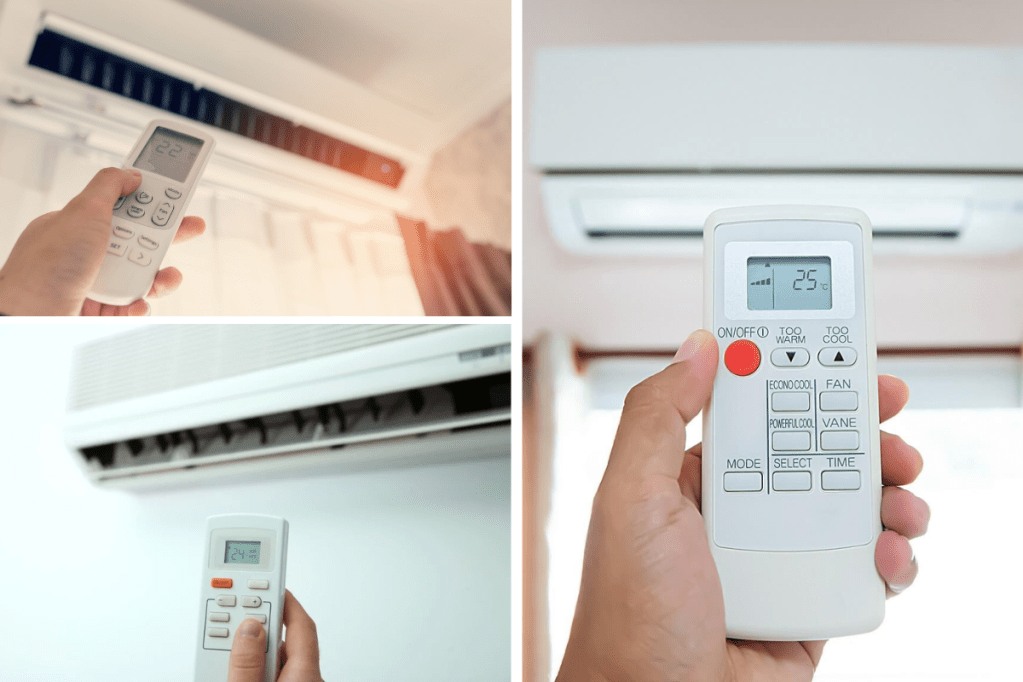
The power button and its variations
Electronic devices, including aircon remote controls, need power buttons. The appliance’s main switch, its functions vary by model and brand. It still controls the aircon power supply. Some remotes have a single on/off button, while others have two.
The power button’s timer function lets users set the aircon’s on/off time. This feature helps save energy and lower electricity bills. Power mode offers high, medium, and low aircon power settings. This feature lets users customize the unit’s cooling or heating capacity.
Aircon status indicators may be on the power button. The unit may turn green when on and red when off. Some remotes have a low-power standby mode. When the power button is pressed, the aircon unit responds quickly, making it convenient for users.
Power button features and variations are important when choosing an aircon remote control. If the user has specific preferences or needs, the power button may affect convenience and ease of use. Some power buttons have child lock or silent modes, which may be useful for some users.
Finally, aircon remote controls need a power button. It controls the aircon unit’s power supply and may have timers, power modes, indicator lights, and standby modes. The power button’s features and variations affect the user’s experience and convenience when choosing an aircon remote.
Understanding the fan speed and airflow direction symbols
To control an air conditioning machine, you must comprehend aircon remote symbols, which can be complex. The remote control’s fan speed and airflow direction indications are vital. You can control fan speed and airflow with these settings.
Each horizontal bar in the fan speed sign represents a fan speed. Fan speed increases with bars. Each arrow in the airflow direction sign indicates the airflow direction. You may guide airflow with the arrows.
Note that fan speed and airflow direction indicators vary by air conditioning equipment brand and model. So, you must consult your air conditioner’s user handbook to understand its symbols.
While employing fan speed and airflow direction symbols, room size and number of people must be considered. For optimal ventilation, set the fan speed high in a larger room or with more people. To keep everyone in the room comfortable, you may wish to change the airflow direction.
In conclusion, understanding the fan speed and airflow direction indicators on your aircon remote control is crucial for optimal comfort and airflow. By understanding these symbols and how they work, you can adjust your air conditioning unit to match your demands, creating a more comfortable indoor atmosphere.
Temperature control icons and their functions
Temperature control icons on aircon remotes help maintain a suitable indoor temperature. Air conditioner manufacturers and models vary temperature control functions. The symbols usually have “+” and “-” signs to increase or decrease temperature. The remote’s temperature control icons are colored and shaped.
“Thermometer” is the most prevalent aircon remote temperature control icon. The remote’s central icon displays the room’s temperature. It monitors and adjusts temperature. The “+” and “-” icons adjacent to the thermometer symbol can change the temperature.
The “auto” icon controls temperature too. Snowflakes and suns commonly represent this icon. It automatically switches between heating and cooling to maintain room temperature. The aircon automatically turns off and on when the temperature changes.
Aircon remote symbols also include the “fan” temperature control icon. A fan blade symbol controls indoor fan speed. Adjusting the fan speed changes room airflow. Increased fan speed circulates air quicker, cooling or heating the room faster.
In conclusion, utilizing an aircon remote to manage indoor temperature requires understanding temperature control icons and their functions. By understanding these indicators, users may alter temperature settings, monitor inside temperature, and control indoor fan speed to create a comfortable environment. To enhance air conditioner efficiency and performance, learn these icons.
Timer and sleep mode symbols explained
Understanding air conditioner timer and sleep mode symbols is essential for proper use. The remote control’s clock-shaped timer sign turns the gadget on or off at a certain time. It helps save electricity and start the unit when you get home.
Sleep mode gradually changes the temperature during the night for a more comfortable sleep. The bed icon can be programmed to turn off automatically. Sleep mode reduces airflow, lowers temperature, and functions silently.
Users can set a delay timer on some air conditioning units. In high-electricity locations, users can plan the unit to start running at a reduced rate. A right-pointing timer icon represents the delay timer.
Some air conditioners include a “off timer” that turns them off after a defined time. A clock and “off” sign represent the off timer. This feature helps users who want to sleep uninterrupted or avoid leaving the aircon on.
Furthermore, comprehending your aircon remote’s timer and sleep mode symbols is essential for efficient operation. These features save energy and make sleeping comfortable. These functions can lower your energy bill and extend the life of your air conditioner.
Other common icons found on aircon remotes
The symbols and icons on aircon remotes can be confusing. In addition to temperature, fan speed, and airflow direction, aircon remotes have other icons. We’ll discuss common symbols and their functions in this article.
Aircon remotes often have a “turbo” button. By increasing fan speed and lowering temperature, this button cools the room quickly. Users can switch between cooling, heating, and dehumidifying modes with the “mode” button. The “auto” mode on some aircon remotes automatically adjusts the temperature and fan speed to the room’s conditions.
Ionizer buttons are also common on aircon remotes. Negative ions from this feature purify the air by removing odors and bacteria. Some remotes have a “quiet” mode to reduce noise and a “swing” button to control horizontal airflow.
Some aircon remotes have a “clean” button for self-cleaning. This function removes dirt and bacteria from the unit, improving air quality and air conditioner lifespan. A “filter” indicator alerts users when the filter needs to be cleaned or replaced, and a “powerful” mode temporarily boosts cooling capacity.
Finally, understanding aircon remote icons is crucial to getting the most out of your air conditioner. You can improve air quality and air conditioner performance by learning each button’s function. Understanding these symbols will make using your aircon remote easy, whether it’s the turbo button, mode button, ionizer button, or others.
 Hey Singapore