
Tips and Tricks for Maximizing the Use of File Boxes
In today’s fast-paced world, it’s essential to keep track of important documents and files. Whether you’re a student, a professional, or a homeowner, organizing your paperwork can help you save time, reduce stress, and increase productivity. One of the most effective ways to keep your documents organized is by using file boxes.
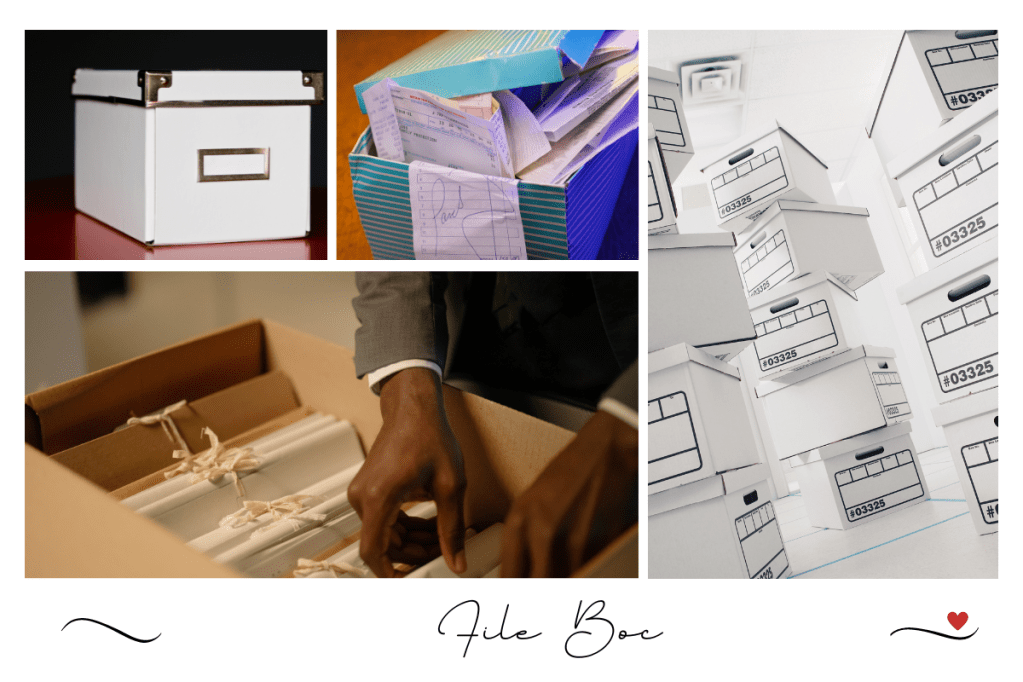
File boxes are durable containers designed to hold and store documents, files, and other paperwork. They come in different sizes, shapes, and materials, depending on your needs and preferences. Some file boxes have handles, latches, and locking mechanisms, while others are stackable, collapsible, or waterproof. Regardless of their features, file boxes can help you streamline your filing system, protect your documents from damage, and make it easier to access and retrieve them when needed. Here are the best File box
Here are some tips and tricks for maximizing the use of file boxes and getting the most out of your organizational efforts:
- Categorize and Label Your Files Before embarking on utilizing file boxes, it is imperative to categorize and label your files properly. This involves grouping similar documents together and creating clear and concise labels for each file. You can employ color-coded tabs, adhesive notes, or labels printed from a computer to denote each file’s contents. For instance, you can label one file “Tax Returns” and another “Bank Statements” to distinguish between different types of financial documents.
- Utilize Hanging File Folders Hanging file folders are an ideal way to organize your documents within a file box. They enable you to group multiple files together and label them on the tabs. Hanging file folders come in diverse sizes and colors, and you can effortlessly replace them as needed. Using hanging file folders can also prevent your documents from getting creased or wrinkled, as they are suspended in the air and not resting on the bottom of the box.
- Maintain a Master Index A master index is a comprehensive list of all the files you have in your file box, along with their corresponding labels and locations. Keeping a master index can expedite your search for a particular file without having to rummage through the entire box. You can create a master index on a separate sheet of paper or employ a digital spreadsheet. Ensure you update your master index whenever you add or remove files from your file box.
- Store Your File Boxes in a Secure Location Once you have categorized and labeled your files, it is crucial to store your file boxes in a secure location. You should opt for a dry and cool area that is devoid of direct sunlight, dampness, and vermin. You can store your file boxes in a closet, a cabinet, a cellar, or a storeroom, contingent on your space and accessibility requirements. Ensure that you can effortlessly access your file boxes when needed, but also keep them out of the way of daily traffic.
- Use Multiple File Boxes
If you have a large number of documents to organize, consider using multiple file boxes instead of cramming everything into one. You can group your files by category or time period and assign each category to a different file box. For example, you can have one file box for personal documents, one for work-related documents, and one for medical documents. Using multiple file boxes can also make it easier to move your files around or take them with you when you need to.
- Keep a Schedule for Reviewing and Purging Files
Organizing your files is not a one-time event; it’s an ongoing process. To keep your file boxes from becoming cluttered and disorganized, you should schedule regular reviews and purges of your files. This means going through your files periodically and deciding which ones to keep, which ones to discard, and which ones to archive. You can set a schedule for reviewing your files once a year or more frequently, depending on your needs and the amount of paperwork you generate. Purging unnecessary documents can help you free up space in your file boxes and make it easier to locate the files you need.
- Consider Digital Alternatives
While file boxes are a great way to organize your physical documents, they may not be the best solution for all types of files. For example, digital files such as emails, photos, and electronic documents may be more efficiently stored on a computer or a cloud-based platform. You can use digital tools such as scanners, document management software, or cloud storage services to organize and store your digital files. This can help you reduce clutter, save physical space, and access your files from anywhere with an internet connection.
- Choose the Right Size and Material
When selecting file boxes, it’s important to choose the right size and material for your needs. File boxes come in different dimensions, such as letter size, legal size, or A4 size, depending on the type of documents you want to store. They also come in different materials, such as cardboard, plastic, or metal. Cardboard file boxes are lightweight and affordable, but may not be as durable as plastic or metal boxes. Plastic file boxes are more durable and moisture-resistant, but may be more expensive. Metal file boxes are the most durable and secure, but also the heaviest and most expensive.
- Use Dividers and Subdividers
Dividers and subdividers are a great way to further organize your files within a file box. They allow you to create smaller sections within a hanging file folder or a file box and group similar documents together. For example, you can use a divider to separate your tax documents by year, or use a subdivided folder to group your receipts by category. Dividers and subdividers come in different materials, such as cardboard or plastic, and can be labeled for easy identification.
- Color Code Your Files
Color coding your files is another way to make it easier to identify and retrieve your documents. You can use colored hanging file folders, tabs, or labels to differentiate between different categories of files. For example, you can use green for financial documents, red for legal documents, and blue for personal documents. Color coding can also help you visually organize your files and make your filing system more attractive and engaging.
- Use File Box Accessories
There are several accessories available that can enhance the functionality and convenience of your file boxes. For example, you can use a file box stand to elevate your file box off the ground and make it easier to access your files. You can also use a file box lock to secure your confidential documents and prevent unauthorized access. File box wheels are another accessory that can make it easier to move your file boxes around, especially if they are heavy or located in a hard-to-reach area.
- Label Your File Boxes
Labeling your file boxes is essential for keeping track of your documents and files. You can use a permanent marker or a label maker to create clear and visible labels for each file box. Be sure to include the contents of each box, the date range, and any other relevant information. You can also color code your file boxes to match the color of your hanging file folders or tabs. Labeling your file boxes can help you quickly identify the box you need and avoid confusion or misplacement.
- Store Your File Boxes Vertically
- Storing your file boxes vertically instead of horizontally can help you save space and make it easier to access your files. When you store your file boxes horizontally, you need to move several boxes to access the one at the bottom. Storing them vertically, on the other hand, allows you to access any box without having to move others. You can use bookends or a file box stand to keep your file boxes upright and stable.
- Customize Your Filing System
Every person’s filing needs are unique, and it’s important to customize your filing system to fit your preferences and habits. For example, if you prefer to work with paper documents, you may need more file boxes and hanging file folders than someone who prefers digital files. If you have a lot of receipts, you may need to use a separate file box or folder for them. Customizing your filing system can help you stay organized and efficient and avoid frustration or overwhelm.
- Seek Professional Help
If you find yourself struggling to organize your documents or create a filing system that works for you, consider seeking professional help. A professional organizer can provide guidance and support in creating a customized filing system that fits your needs and preferences. They can also help you purge unnecessary documents, optimize your storage space, and maintain your filing system over time. Investing in professional organizing services can help you save time, reduce stress, and improve your productivity and well-being.
- Consider Environmental Factors
When using file boxes to store your documents, it’s important to consider environmental factors that can affect the condition and longevity of your files. For example, exposure to moisture, heat, or sunlight can damage your documents and cause them to deteriorate over time. You can protect your files by storing them in a cool, dry, and dark place, away from direct sunlight and extreme temperatures. You can also use archival-quality file boxes and hanging file folders, which are designed to preserve your documents for a longer period of time.
- Create a Disaster Preparedness Plan
- In the event of a natural disaster, such as a flood or fire, your file boxes may be at risk of damage or loss. To protect your documents in such situations, it’s important to create a disaster preparedness plan. This plan should include steps to prevent damage to your file boxes, such as storing them on higher ground or in a fireproof safe. It should also include a backup plan for retrieving and replacing your documents in case they are lost or destroyed. You can create digital copies of your important documents and store them on a cloud-based platform, such as Dropbox or Google Drive, or on an external hard drive that you can take with you in an emergency.
- Keep Up with Technology
Technology is constantly evolving, and it’s important to keep up with the latest tools and software that can help you organize and manage your documents. For example, document management software such as Evernote or OneNote can help you digitize and categorize your documents, and make them easily searchable and accessible. Cloud-based storage solutions such as Dropbox or Google Drive can also help you store and share your files from anywhere with an internet connection. By staying up-to-date with the latest technology, you can optimize your filing system and make it more efficient and effective.
- Involve Others in the Process
Organizing your documents can be a daunting task, but it doesn’t have to be a solo effort. Involving others in the process can make it more fun, engaging, and effective. You can enlist the help of family members, friends, or colleagues to sort and categorize your documents, or to provide feedback on your filing system. You can also hire a professional organizer to work with you and provide guidance and support throughout the process. By involving others in the process, you can create a sense of accountability, teamwork, and community, and make your filing system more sustainable over time.
- Celebrate Your Progress
Organizing your documents is a journey, not a destination, and it’s important to celebrate your progress along the way. Each time you complete a task, such as sorting a pile of documents or purging unnecessary files, take a moment to acknowledge and celebrate your accomplishment. You can reward yourself with a small treat, such as a cup of coffee or a piece of chocolate, or take a break to do something you enjoy. Celebrating your progress can help you stay motivated, build momentum, and enjoy the process of organizing your documents.
Conclusion
In conclusion, file boxes are a pragmatic apparatus for organizing your documents, files, and paperwork. They can help you optimize your filing system, shield your documents from harm, and facilitate expedient access and retrieval when necessitated. By adhering to these tips and tactics, you can augment the utilization of your file boxes and sustain your documents’ organization and availability. Recall to categorize and appraise your files, employ hanging file folders, uphold a master index, stow your file boxes in a secure setting, utilize multiple file boxes, establish a timetable for scrutinizing and discarding files, and mull over digital alternatives. With these stratagems implemented, you can stay ahead of your paperwork and concentrate on what is most meaningful to you.
 Hey Singapore